-
×
 SMR-100 Slitter, Rewinder and Matrix Remover
1 × $5,000.00
SMR-100 Slitter, Rewinder and Matrix Remover
1 × $5,000.00 -
×
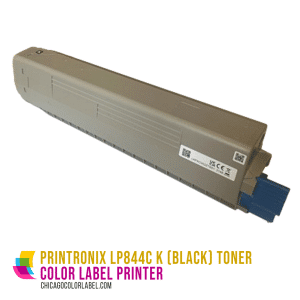 Printronix LP844C - Black Toner (10K Page Yield)
1 × $144.10
Printronix LP844C - Black Toner (10K Page Yield)
1 × $144.10
Subtotal: $5,144.10

So, you’re thinking about designing your own labels. You’re not alone! Whether you’ve already got an idea in your head or you’re only just starting to think about the finished product, you’ll need to pick out the best label design software in order to take the next steps.
Our in-depth guide compares four of the most popular options: GIMP, Inkscape, Photoshop, and Illustrator. Just looking for a quick answer? Adobe Illustrator ultimately emerges as the best tool for in-house label design—and you can find out why by reading on!
GIMP is one of the first tools that would-be designers turn to once they’ve started thinking about designing their own labels. After all, it’s a very well-known piece of open source software that claims to offer most of the features of paid programs like Adobe Photoshop. To be sure, Photoshop does offer some features that you won’t find anywhere else—but GIMP, for the most part, lives up to its claims.
There’s just one caveat: the images produced in GIMP are raster images—which is to say that they’re made up of pixels and have a set resolution, measured in pixels per square inch. If you know exactly what size your label needs to be and you’re not worried about adjusting the image later on, then you might be able to use GIMP to design and print your own labels. However, most professional designers prefer vector images for reasons that we’ll touch on below.
Technically, there are ways to transform a raster image into a vector image without ever exiting GIMP. However, these techniques are fairly difficult and time-consuming. While GIMP certainly stands out from other free label design software, we think you’re better off starting with a different product.
Krita is an increasingly popular alternative to Photoshop due to the praise it receives on graphics design forums across the industry. This mostly stems from the fact that it has a similar look and feel to Photoshop which makes it easier for experienced designers to switch too. It has support for external tools such as pens & drawing tablets as well as most of the effects you could ever need. However, it lacks a RAW filter and is known to have latency & load speed issues.
Paint.net was originally intended to be a more advanced successor to Microsoft’s legendary Paint tool so those familiar with Microsoft Paint will feel right at home with Paint.net. It’s simplistic design makes it great for beginners who also want to begin experimenting with more advanced effects & tools. However, it lacks guide support, a RAW option, or some more essential tools such as a slice, patch or spot healing tool.
Inkscape is free software that allows you to produce vector images. Vector images are ideal for graphic design projects because they can be resized without any loss of quality. For this reason, Inkscape is the preferred open-source software for logo design and other similar tasks.
However, there’s one basic reason why we don’t recommend Inkscape for designing your own labels: the software only displays images in RGB, not CMYK. Unlike screens, printers rely on CMYK color information in order to render images as accurately as possible. While you can technically print the images you produce on Inkscape, you shouldn’t expect the printed image to be an exact match to what you see on screen.
Lunacy is another free vector label designing option. At i’s core, Lunacy is a graphic design platform designed to let users edit and optimize images & create illustrations through the use of artificial intelligence.
Some of its key features include data importing & built-in graphics which makes uploading images and removing backgrounds a breeze. Because of this, Lunacy is a popular choice for label design but it currently lacks some of the more advanced features that premium design platforms have.
Corel Vector is an intuitive free vector design software that’s intuitive to use but has most of the features you’d expect from a paid-premium software. Corel Vector stands out as it comes with a customizable interface, an intuitive menu system, drag & drop functionality, and most of the advanced editing features you’d need.
The main drawback is that Corel Vector’s premium tools are only available for free during the trial period. After this period is up, you’ll have to pay for these tools like any other premium editing platform.
While Adobe is known for their premium design softwares such as Photoshop & Illustrator, they also offer a free editor called Adobe Spark. Spark is easy to use & provides a number of free templates to get you started which makes it great for beginners. Spark also has both web & mobile functionality which makes it great for on-the-go work! However, more experienced designers may find it a bit restrictive.
As we mentioned above, Adobe Photoshop can be thought of as a more powerful version of GIMP. Specifically, Photoshop is better for selecting small objects within an image, touching up details, and applying filters. These features make Photoshop the obvious choice for professional photographers and some digital artists, but since they might not have a huge impact on your label design workflow, you can probably stick with GIMP without feeling as though you’ve made a sacrifice. The fact that GIMP is completely free is just the icing on the cake.
Like GIMP, Photoshop is best for producing raster images—and this is the main reason why professional designers may not use it.
If you don’t mind paying for the service, Adobe Illustrator is probably the best label design software that you can use. Like Inkscape, Adobe Illustrator is ideal for making vector graphics that can be resized without a loss of image quality. Unlike Inkscape, Adobe Illustrator can render images in CMYK colorspace. In other words, what you see on screen is what you get when you hit print!
Really, the only downside to using Adobe Illustrator is the cost. At the time of writing, Illustrator is available for $20.99 per month through Adobe’s Creative Cloud platform.
While not specialized image editor such as Adobe’s Photoshop & Illustrator, Bartender is a popular label design choice to use alongside these applications as designers will drop their previously designed artwork into a Bartender layout where they can then add dynamic content over it & add variable data with ease which makes it a great final step in the label editing process.
However, it may take a bit of tweaking to put text and images exactly where you want them to. The good news is that we are experts in professional color label and barcoding services & provide consulting specifically for Bartender!
Chicago Color Label sells blank label rolls and specialized color label printers that you can use to turn your vision into a reality. We also offer consulting services that can help you proceed through each stage of the process with confidence.
In need of a barcode for your new label? We can help with that too. Our barcoding services are offered in one-hour, five-hour, and ten-hour design and development packages.
We’re passionate about label design and we’d love to help you get started. Our guide to making hot sauce labels takes a step-by-step look at the entire process, and of course, our expert consultants are never more than a phone call away! Contact us online or reach out at (888) 237-8699 today.