Color Label Printer Buyer’s Guide
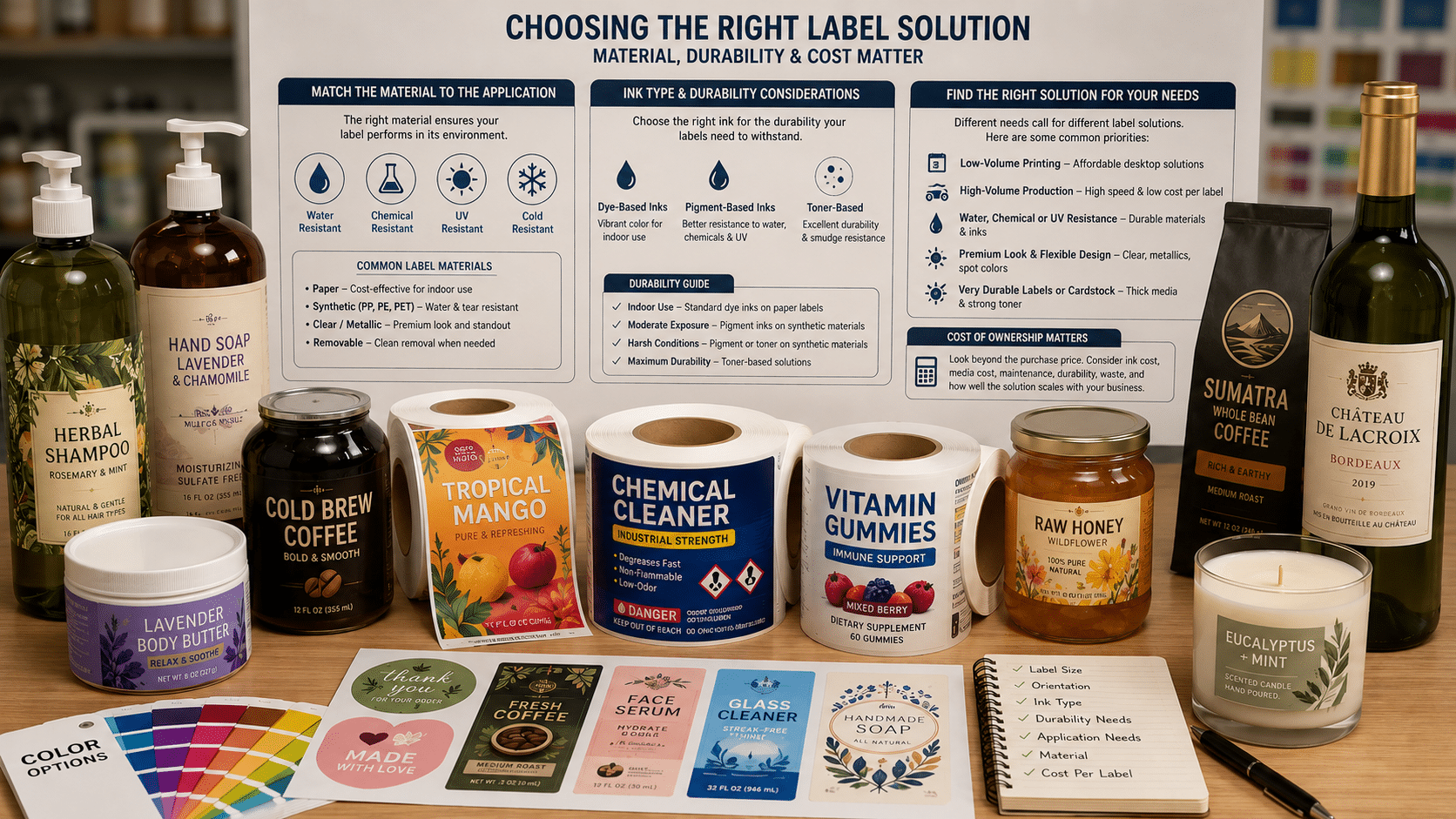
Choosing the right color label printer depends on much more than cost or print quality alone. How many labels you print per month, ink cost, durability requirements, label width, media type, as well as your workflow all play an essential role in selecting the best printer for your business.
A printer that works well for small startups printing only a few hundred labels per month may not be the best fit for a growing manufacturer printing thousands of labels. Likewise, a printer used for dry product labels may not work well for chemical, beverage, cannabis, health and beauty, or GHS-style applications where moisture, UV, and chemical resistance matter.
This guide is designed to help you understand the most important factors that you should consider when selecting a printer so you can choose a solution that fits your current needs while also supporting future growth.
How to Choose a Color Label Printer
The best color label printer is not always the least expensive or fastest printer. The right choice depends on how your business actually uses it.
1. Start With Monthly Print Volume
This is the very first question we ask of all customers. Lower volume users can often start with an entry-level printer, while higher-volume users may benefit from a printer with a larger ink capacity and faster print speed.
Why? As label volume increases, ink cost becomes essential to consider. A lower-cost printer may be attractive in the beginning, but smaller, more affordable printers use smaller ink cartridges not may not be designed for higher monthly output. High output on a smaller printer increases the long-term operating cost and can become very expensive (relative to a larger, more expensive model) over time.
As a general rule:
- Low-volume users should prioritize ease of use, flexibility, and affordable entry cost.
- Mid-volume users should begin comparing ink cost, speed, and media handling.
- High-volume users should consider operating cost, uptime, durability, and production workflow.
- Production-volume users should focus heavily on ink economy, reliability, speed, and long-term scalability.
This is why estimated monthly label volume is one of the first questions we ask when helping customers select a printer.
2. Match Ink Type to Label Durability
Dye-based inks are often good for colorful prime labels where strong image quality is important and labels won’t be exposed to heavy moisture or chemical exposure.
Pigment-based inks are generally better suited for labels requiring stronger resistance to water, chemicals, UV exposure, or industrial handling.
Some printers also offer enhanced ink options or specific media pairings that can improve durability, like BS5609 certifications. The correct printer, ink, and label material need to be matched together.
For a deeper explanation, see our full guide to dye vs pigment ink.
3. Considering Label Width and Media Format
Label size can quickly narrow down your printer choices.
Some printers are designed for narrow labels, while others support wider media. If you are printing larger product labels, drum labels, or multiple labels across the web, maximum print width and media width become very important. If your only printing smaller labels (under 5 inches), you have more options with your printer selection.
You should also consider whether your workflow requires:
- Die-cut roll labels
- Continuous roll media
- Fanfold media
- Sheet labels
- Cardstock
- Specialty materials
Choosing a printer that supports your required media format prevents costly workflow problems later.
4. Think About Speed and Workflow
Print speed matters, but only in context.
A printer may advertise a high maximum speed, but real-world production depends on label size, print quality settings, artwork coverage, drying time, cutting/finishing steps, and operator workflow.
Some printers can print at a sustained, constant print speed, while others have a range of speeds dictated by things like your artwork (how much ink is being applied), label size and quality settings selected.
- Inkjet Label Printers with Constant Print Speed: Afinia l701/L801/L901/LT5C,X350, All VIPColor, Epson C8000
- Inkjet Label Printers with Variable Print Speed: Afinia L502, Epson ColorWorks (except the C8000)
The right question is not simply “How fast is the printer?”
For small businesses, ease of use may be more important than raw speed. For higher-volume operations, speed, saved jobs/label designs (as seen with the Afinia L901), repeatability, maintenance access, and downtime become much more important.
Instead you should ask: Can this printer keep up with our monthly production needs without creating unnecessary operating cost or downtime?
Printer Comparison by Buying Factor
Instead of comparing every specification at once, it is often easier to evaluate printers by the buying factor that matters most to your business.
Best Starting Points by Need
Best for low-volume roll label printing:
Afinia L502, Epson C4000, VIPColor VP610
Best for mid-volume roll label printing:
Afinia L701, Afinia L801, Epson C6000, Epson C6500, VIPColor VP700
Best for higher-volume roll label production:
Afinia L901, Epson C8000, Afinia X350
Best when water, chemical, or UV resistance is important:
Pigment-based Epson ColorWorks models, Afinia X350, Afinia L502 with pigment inks, and toner-based options
Best for very durable sheet labels or cardstock:
Printronix LP654C, Printronix LP844C
Best for very durable roll labels with enhanced and flexible design options (true clear media, metallics, spot color printing):
Afinia LT5C
Best for very high-volume production with the lowest cost per printed label:
Afinia X350
Compare Color Label Printers by What Matters Most
Selecting a color label printer isn’t just about choosing a brand or finding the lowest purchase price. The best printer for your business depends on factors such as monthly print volume, label durability requirements, media width, print speed, operating costs, and the types of products you’re labeling.
To simplify the selection process, we’ve organized our printer comparison by the factors that matter most to real-world users. Explore the sections below to compare printers based on print volume, ink type and durability, label size requirements, application fit, and overall cost of ownership. Whether you’re printing a few hundred labels per month or running a high-volume production operation, these comparisons will help you identify the solutions best suited to your needs.
Print Volume Comparison
| PRINTER | BEST FIT | RECOMMEDED MONTHLY VOLUME |
| Afinia L502 / Epson CW-D3800 | Low-volume flexible roll label printing | 250–2,500 labels |
| Afinia L701 | Fast roll label printing for growing businesses | 2,500–20,000 labels |
| Afinia L801 | Mid-volume Memjet label production | 5,000–70,000+ labels |
| Afinia L901 | Mid-to-high volume Memjet production | 10,000–100,000 labels |
| Afinia X350 | Highest-volume roll label production | 20,000–500,000+ labels |
| Epson C4000 | Low-volume durable pigment labels | Up to 2,500 labels |
| Epson C6000 | Medium-volume pigment roll labels | Up to 16,000 labels |
| Epson C6500 | Wider medium-volume pigment labels | Up to 22,000 labels |
| Epson C8000 | Faster higher-volume pigment roll labels | Up to 55,000 labels |
| VIPColor VP610 | Fast Memjet roll label printing | 2,000–20,000 labels |
| VIPColor VP700 | Higher-volume Memjet roll label printing | 5,000–35,000+ labels |
Ink Type & Durability
| Printer Family | Ink / Technology | Water/Chemical/UV Resistance | Best For |
| Afinia L502 | Dye or Pigment | Very Good (Pigment) | Flexible applications requiring either vibrant color or enhanced durability |
| Afinia L701 | Dye | Limited | Dry-use product labels where durability is not critical |
| Afinia L801/L901 | Dye (Plus Ink Available) | Moderate (w/Plus Inks) | Prime labels requiring improved durability without moving to pigment |
| VIPColor VP610/VP700 | Dye (Water Resistant Models Available) | Moderate (w/Water Resistant Models) | High-speed prime labeling applications |
| Epson ColorWorks (All except CW-D3800) | Pigment | Very Good | Product labels, chemical labels, cannabis labels, industrial applications |
| Afinia X350 | Pigment | Very Good | High-volume durable label production |
| Afinia LT5C | Toner | Excellent | Durable sheet labels and specialty applications |
| Printronix LP654C / LP844C | Toner | Excellent | Industrial, chemical, and highly durable labeling applications |
Label Width
| Printer | Max Print Width | Best Fit |
| Epson C4000 | 4.25″ | Lower Volume, Small Product Labels |
| Epson C6000 | 4.25″ | Medium Volume, Durable Product Labels |
| Epson C8000 | 4.25″ | Higher Volume, Durable Labels |
| Afinia LT5C | 4.95″ | Specialty Media, Spot Color Printing, Durable Product Labels |
| Printronix LP654C / LP844C | 6.6″ | Durable sheet labels |
| Epson C6500 | 8.34″ | Wide-format Pigment Labels |
| Afinia L502 | 8.5″ | Low Volume Labels with Dye and Pigment Ink Options |
| Afinia L701 | 8.5″ | High-Speed, Medium-Volume Labels That Don’t Require Moisture Resistance |
| Afinia L801 | 8.5″ | High-Speed, Higher-Volume Labels w/Option For Moisture Resistance |
| Afinia L901 | 8.5″ | Similar to L801 But Easier Maintenance & Usage |
| VIPColor VP610 | 8.5″ | High-Speed, Great Entry Level Memjet Printer |
| VIPColor VP700 | 8.5″ | High-Speed, Lower Cost Per Label than VP610 |
| Afinia X350 | 12.77″ | Large Production Ready Print with Super Low Cost Per Label, Built-In RIP For Color Matching, Large 13″ Media Rolls |
Best Application
| Application | Recommended Printers |
| Small Business Product Labels | Afinia L502, Epson CW-D3800, Epson C4000, VIPColor VP610 |
| Food & Beverage Labels | Afinia L502, L801/L901 Plus, Epson ColorWorks Series (No Moisture for CW-D3800), VIPColor VP700 |
| Cannabis Labels | Epson ColorWorks Series, Afinia X350, L801/L901 Plus |
| Health & Beauty Labels | Afinia L502, L801/L901 Plus, Epson ColorWorks Series (No Moisture for CW-D3800) |
| Chemical Labels | Epson ColorWorks Series (Except CW-D3800), Afinia X350, Printronix LP654C, Printronix LP844C |
| Industrial Labels | Epson ColorWorks Series (Except CW-D3800), Afinia X350, Printronix LP654C, Printronix LP844C |
| High-Speed Prime Labels | Afinia L701, L801, L901, VIPColor VP610, VP700 |
| Durable Sheet Labels | Afinia LT5C, Printronix LP654C, Printronix LP844C |
| High-Volume Production | Afinia X350, Epson C8000, Afinia L901 |
Resource Cost
| Printer Family | Printhead Cost | Ease of Use | Skill Required | Ownership Profile |
| Epson CW-D3800 | Integrated (non-Replaceable) | Easy | Basic | Lowest entry cost, ideal for smaller operations |
| Afinia L502 | Low | Easy | Basic | Low entry cost, ideal for smaller operations |
| Afinia L701 / L801 / L901 | Moderate | Moderate | Moderate | Higher productivity with moderate maintenance requirements |
| VIPColor VP610 / VP700 | Moderate | Moderate | Moderate | Strong balance of speed and operating cost |
| Epson ColorWorks Series (Except CW-D3800) | Integrated (non-Replaceable) | Moderate | Moderate | Strong durability with predictable ownership costs |
| Afinia X350 | High | Advanced | High | Best suited for dedicated production environments |
| Afinia LT5C | NA | Moderate | Moderate | Durable toner-based labels with straightforward operation |
| Printronix LP654C / LP844C | NA | Easy | Easy | Excellent for durable sheet-label environments |
Print Volume and Ink Cost Matter More Than Many Buyers Realize
Printer price is only one part of the total cost of ownership. For many businesses, ink cost becomes the bigger factor over time.
A lower-cost printer may be the right fit for occasional label printing, short runs, or early-stage businesses. But as monthly label volume increases, a higher-end printer may become more cost-effective because of faster production, larger ink systems, lower operating cost, or reduced downtime.
This is especially important for companies printing:
- Thousands of labels per month
- Full-color product labels
- Labels with heavy ink coverage
- Multiple product SKUs
- Seasonal or batch production runs
- Labels that require durability testing or specialty materials
If you are unsure which printer fits your expected volume, our team can help estimate operating cost using your label size, artwork coverage, and monthly print quantity.
You can also use our label printing cost calculator to estimate ongoing ink and label costs.
Dye vs Pigment Ink
Ink type plays a major role in printer selection.
Dye ink is often used when vibrant color and strong image quality are the primary goals. It can be a good choice for many product labels, especially when labels will be used in dry environments or protected from heavy moisture and chemical exposure.
Pigment ink is usually the better choice when durability is more important. Pigment-based labels are commonly used when labels may be exposed to water, abrasion, UV light, chemicals, refrigeration, outdoor handling, or industrial environments.
Some printers are available in dye or pigment configurations, while others are designed specifically around one ink type. The best choice depends on the product, environment, label material, and durability expectations.
For more detail, read our full dye vs pigment ink guide.
Recommended Printers by Application
Small Business Product Labels
Small businesses often need a printer that is affordable, easy to use, and flexible enough to support changing products or short-run label needs.
Good starting points may include:
- Afinia L502
- Epson C4000
- VIPColor VP610
- Afinia LT5C for sheet-label workflows
Food and Beverage Labels
Food and beverage labels may require strong color quality, moisture resistance, refrigeration resistance, or compatibility with specific label materials.
For dry goods, many dye-based systems may work well. For refrigerated products, beverages, health products, or labels exposed to moisture, pigment-based or enhanced durability options may be more appropriate.
Chemical and Industrial Labels
Chemical and industrial labels often require stronger durability than standard product labels.
Important factors include:
- Water resistance
- Chemical resistance
- UV resistance
- Abrasion resistance
- BS5609 compatibility where required
- Correct media and ink pairing
Pigment-based and toner-based systems are often better suited for these applications.
High-Volume Label Production
Higher-volume users should pay close attention to ink cost, production speed, maintenance, uptime, and workflow efficiency.
At higher volumes, moving to a more expensive printer can sometimes reduce the long-term cost per label. This is especially true when a printer offers better ink economy, faster production, or a system better matched to daily production use.
Maintenance and Ownership Costs
Every label printer has ongoing ownership costs. These may include ink, printheads, maintenance supplies, replacement parts, label media, software, and operator time.
When comparing printers, it is important to look beyond the purchase price and consider:
- Ink cost per mL
- Expected monthly volume
- Printhead replacement cost
- Maintenance frequency
- Label material cost
- Downtime risk
- Operator skill required
- Software requirements
For lower-volume users, simplicity and upfront cost may be more important. For higher-volume users, ink cost, maintenance access, and production reliability become much more important.
Our cost calculator can help estimate the ongoing cost of printing labels based on your label size, ink coverage, and monthly volume.