
Top 5 Wine Label Printers Leave a comment
Top 5 Wine Label Printers
Why get a wine label printer, what to look for, and our personal top five
The simple truth is that no matter how many times we were told not to as a child, we all judge a book by its cover. I do it, you do it, and your customers most definitely do it, and so when it comes to choosing a bottle of wine, whether they pick your wine or not may well come down to its label. This means that it is absolutely vital that you have a label that truly represents your business. Using your own wine label printer can help with this.
There is an overwhelming number of print companies that will print your labels for you. While you can get fantastic labels printed almost everywhere, relying on a third party to print your labels has its issues.
Long Order Lead Times
There is sometimes a substantial delay between placing your order and receiving your finished labels. Orders are normally printed in the order they are placed – first-come, first served.
At times when production may be overwhelmed with jobs (like during the holidays), you may find an order could take weeks instead of days to process and ship to you. This introduces risk to your own order lead times and could result in uncomfortable conversations with your customers about backorders.
By using your own wine label printer, you decide when and how many labels to print.
Label Obsolescence and MOQ
It’s likely that your printer requires a minimum quantity of labels to be purchased when sending them an order. This can introduce quality control issues and costly label waste when you want to make small design changes, need to modify nutritional information, or simply wish to process a short run or promotional product.
It is far more costly and time-consuming to make small changes or try new things, and over a long period, it is normally more expensive. As such, if you are regularly printing wine bottle labels, we here at Chicago Color Label recommend you get your very own wine label printer, for a product you can control, every time.
What to Look For In A Good Wine Label Printer
Okay, so you have decided to get a wine label printer, but how to pick one? What do you need to look out for? And how can you make sure that your needs are met? Like anything, there are no hard and fast answers to these questions, but we have put together this list of key factors that should affect your decision-making in choosing a wine label printer, to help you make the best choice possible.
Media Types
The absolute first thing you should check is that the wine label printer can print the style of labels you need. Some printers have the flexibility to print on multiple media types while others are dedicated to only matte or glossy.
At an absolute minimum, you want to make sure to select a printer that can print the type of labels you have in mind. Ideally, though, you want a printer that has multiple media capabilities (all of our top five do!), so that you have the freedom and flexibility to adjust your output and results easily.
Ink Durability
Something that may slip under the radar, especially if you are new to label printing, is how important ink durability is for your product. You need a printer that can handle not only your storage of wine bottles which will likely be at optimal or near-optimal conditions but also that of any vendors and your customers, which almost certainly won’t be.
To keep your label looking as incredible when your customer finishes the bottle as when it is first applied, you need to select a printer that uses high-quality, moisture-resistant, durable inks.
The gold standard for this is pigment-based inks which are available on several of our top printers, but Plus dye-based inks are also hardy enough for most storage conditions and may be an acceptable choice for many vintners.
Wines that require chilling such as white wines and Rosé, may experience a build-up of condensation when they are removed from their cool environments. Pigment inks will be a smart choice here as they will stand up to the beading of water droplets and drips that may occur.
Other wines such as reds that are typically stored at cooler room temperatures may not encounter these kinds of higher moisture environments and may be great candidates for labels printed with dye inks.
It’s always important to test your labels prior to purchasing a printer or media to be sure they will stand up to your environment.
Speed
It goes without saying that you need a label printer that can keep up with demand, and so you always need to check that the printer you are considering is up to the task. It’s worth noting that the most durable pigment-based ink printers do tend to be slower than the Plus dye-based options, and so there may be a speed/durability trade-off that you should be aware of.
Speed is also impacted by the complexity of your design and the amount of color that accompanies your artwork. Labels that require solid color backgrounds (flood coat) will take longer to print than labels that are mostly white with minimal images or text.
Resolution
Another no-brainer: nobody wants to buy a wine that has a label looking as blocky as an arcade game in the 90s. The vast majority of customers will be turned off immediately if a label does not look crisp and professional.
How high your resolution needs to go will depend on your label and its complexity and so there is no “one size fits all” solution. Always make sure to check a printer’s capabilities and how your own label would look with them.
The DPI Converter tool is a great way to give you a quick idea of how your label would look at different resolutions!
Print Width
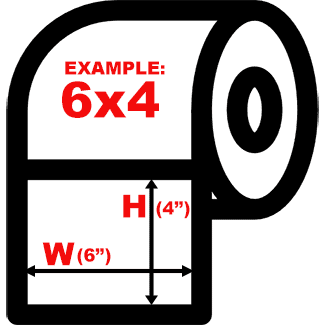
Wine label printers will all have a specification for maximum print width. Be sure to confirm this with your vendor before committing to a specific model. Acceptable print widths vary between 5 inches and 8.5 inches. This maximum width refers to the longest width edge of your design.
So if you have a printer with a 5-inch maximum width but your label is 6” wide by 4” long, you would simply need to rotate your design so the 4-inch edge is printing horizontally to the printer tray. If your label dimensions were 6” by 7”, you would need to instead purchase a printer capable of printing 7” wide or greater.
Inline Capabilities
Something else that may go under the radar, and is likely only a factor to consider if you are on a large-scale production, is whether your label printer has inline capabilities. If it does, this means that you can connect it to a labeling automation system or die-cutting station. This allows you to streamline production, increase speed, and cut costs further.
Our Top 5 Wine Label Printers
With what to look for and consider out of the way, it’s time to explore the printers themselves! All five of these printers are fantastic options, and so they aren’t ranked at all, but each one fulfills different requirements and so we have provided a quick run-through of what’s great about them, and who they are for.
Afinia L502 wine label printer

This mid-range printer is the perfect ‘can’t go wrong’ option. It is ideal for anywhere from 2,500 to 20,000 labels per month, has an extremely high 4800 max DPI resolution print quality, and at 5.2in/second maximum printing speed, it’s not as fast as some of our high performance printers but fast enough to easily meet medium volume printing demands. Like all our top printers it is able to print multiple media types (gloss, matte, poly, paper) and is also able to swap between pigment and dye printing. It also has an 8.5” print width capability to allow for several labels on each row, to ensure printing is as economical as possible.
Epson C6000A 4″ Label Printer w/Cutter (Gloss)

The Epson C6000A is the least expensive printer on our list, and while it definitely can’t keep up with the big boys with a 4” print width capability, up to 1200 dpi resolution print quality, and 5 in/second printing speed, it is perfect for low-volume printing for a company just starting up or with low production numbers. It is also able to print on multiple media types and use pigment ink for durable, moisture-resistant labels. Despite its lower specs, it definitely shouldn’t be looked over for the flashier machines.
Epson CW-C6500A


Another mid-range machine, the CW-C6500A is in many ways similar to the Afinia L502. It has an 8” width to allow multiple labels per row, can use durable pigment inks, multiple media types, and has a max print speed of 5in/second. With a maximum print quality of 1200 DPI, it lacks a bit in comparison to the Afinia L502. However, what the Epson CW-C6500A has going for it over the L502 is that it supports ZPL (Zebra Programming Language) that allows users to more easily code their printers. None of our other wine label printers support this. If ZPL is a requirement, the Epson CW-C6500A wins out over the L502.
Afinia L801 wine label printer

Moving up a gear now for our top 5 wine label printers, we have the Afinia L801. This printer is a step up from previous options and is for when you need to bump up production numbers, with 5,000–70,000 labels per month being fairly standard for this machine.
The L801 is a Memjet printer, meaning it uses Memjet or ‘waterfall’ printing technology to allow it to print at 12in/second while maintaining an impressive 1600 DPI quality. It also has a built-in unwinder to reduce its footprint. It features an 8.5-inch label width capability to allow multiple labels to be printed per row. It also allows you to use larger media rolls with 8” outside diameters to further reduce your label cost. It’s important to note that the L801 Memjet printer is unable to use pigment dyes, but thanks to Plus ink dyes, you can still achieve water resistance with most labels. Learn more about selecting the right ink for your Afinia printer. As this model is a Memjet printer, it is worth looking at our Memjet best practices to get the best performance out of this wine label printer.
Afinia L901 wine label printer
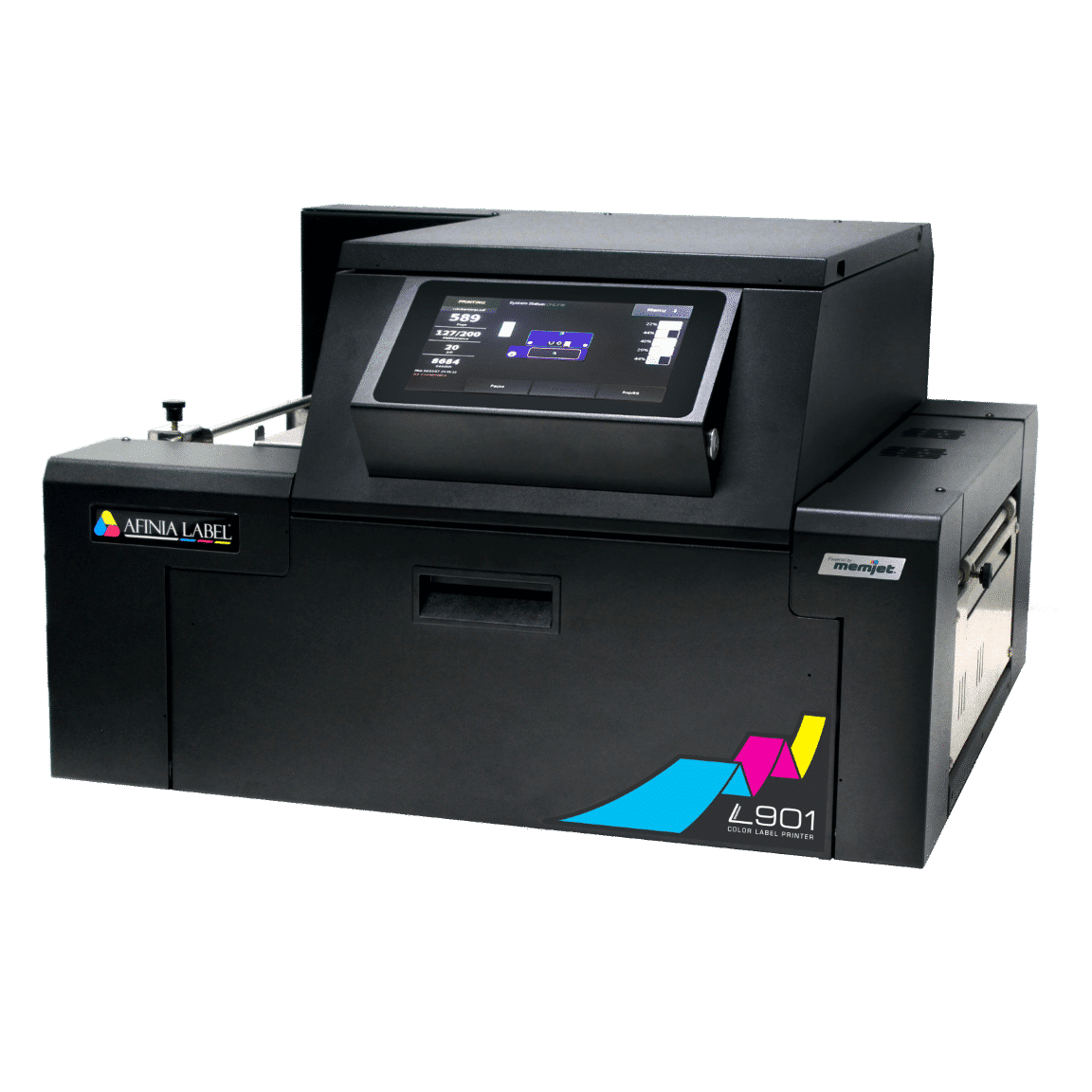
Finally, on our list of wine label printers, we have the Afinia L901. This printer is a powerhouse and most suitable for large-scale operations at 10,000-100,000 labels per month. The L901 excels in a couple of areas that make it superior in cost savings.
- Media Roll Size: The L901 is capable of using a 10” label roll meaning your cost per label is cut in half by 40-50%.
- Cartridge Capacity: Each cartridge contains 250 mL of ink adding to additional cost per label savings.
Other features set this print apart even further from the others on the list…
- Label Job Storage: Each label you print can be stored internally and then displayed and printed instantly by selecting it from the printer’s touch screen. All other printers on this list require that a PC is connected to them at all times when printing. The L901 storage capabilities free you from this by putting your designs at your fingertips.
- Inline Capabilities: For larger operations, the L901 can hook directly into labeling systems, conveyors or other automation systems using its built-in GPIO port. This makes the L901 a must-have for any modern automated environment.
Wine Label Printer Summary
There seems to always be an overwhelming list of options and associated pros and cons when beginning a search like finding the appropriate wine label printer for your business. However, we hope the details above provide a jump start to your research and education and lead to a purchase you feel comfortable and confident about.
We understand this article doesn’t cover everything you need to know but rest assured if you find you have additional questions, we are here to assist you. Always feel free to contact us or read some of our other articles below to learn more about the basics of wine label printing!
Afinia L502 wine label printer
This mid-range printer is the perfect ‘can’t go wrong’ option. It is ideal for anywhere from 2,500 to 20,000 labels per month, has an extremely high 4800 max DPI resolution print quality, and at 5.2in/second maximum printing speed, it’s not as fast as some of our high performance printers but fast enough to easily meet medium volume printing demands. Like all our top printers it is able to print multiple media types (gloss, matte, poly, paper) and is also able to swap between pigment and dye printing. It also has an 8.5” print width capability to allow for several labels on each row, to ensure printing is as economical as possible.
Epson C6000A 4″ Label Printer w/Cutter (Gloss)
The Epson C6000A is the least expensive printer on our list, and while it definitely can’t keep up with the big boys with a 4” print width capability, up to 1200 dpi resolution print quality, and 5 in/second printing speed, it is perfect for low-volume printing for a company just starting up or with low production numbers. It is also able to print on multiple media types and use pigment ink for durable, moisture-resistant labels. Despite its lower specs, it definitely shouldn’t be looked over for the flashier machines.
Epson CW-C6500A
Another mid-range machine, the CW-C6500A is in many ways similar to the Afinia L502. It has an 8” width to allow multiple labels per row, can use durable pigment inks, multiple media types, and has a max print speed of 5in/second. With a maximum print quality of 1200 DPI, it lacks a bit in comparison to the Afinia L502. However, what the Epson CW-C6500A has going for it over the L502 is that it supports ZPL (Zebra Programming Language) that allows users to more easily code their printers. None of our other wine label printers support this. If ZPL is a requirement, the Epson CW-C6500A wins out over the L502.
Afinia L801 wine label printer
Moving up a gear now for our top 5 wine label printers, we have the Afinia L801. This printer is a step up from previous options and is for when you need to bump up production numbers, with 5,000–70,000 labels per month being fairly standard for this machine.
The L801 is a Memjet printer, meaning it uses Memjet or ‘waterfall’ printing technology to allow it to print at 12in/second while maintaining an impressive 1600 DPI quality. It also has a built-in unwinder to reduce its footprint. It features an 8.5-inch label width capability to allow multiple labels to be printed per row. It also allows you to use larger media rolls with 8” outside diameters to further reduce your label cost. It’s important to note that the L801 Memjet printer is unable to use pigment dyes, but thanks to Plus ink dyes, you can still achieve water resistance with most labels.
Afinia L901 wine label printer
Finally, on our list of wine label printers, we have the Afinia L901. This printer is a powerhouse and most suitable for large-scale operations at 10,000-100,000 labels per month. The L901 excels in a couple of areas that make it superior in cost savings.
- Media Roll Size: The L901 is capable of using a 10” label roll meaning your cost per label is cut in half by 40-50%.
- Cartridge Capacity: Each cartridge contains 250 mL of ink adding to additional cost per label savings.
Other features set this print apart even further from the others on the list…
- Label Job Storage: Each label you print can be stored internally and then displayed and printed instantly by selecting it from the printer’s touch screen. All other printers on this list require that a PC is connected to them at all times when printing. The L901 storage capabilities free you from this by putting your designs at your fingertips.
- Inline Capabilities: For larger operations, the L901 can hook directly into labeling systems, conveyors or other automation systems using its built-in GPIO port. This makes the L901 a must-have for any modern automated environment.
Wine Label Printer Summary
There seems to always be an overwhelming list of options and associated pros and cons when beginning a search like finding the appropriate wine label printer for your business. However, we hope the details above provide a jump start to your research and education and lead to a purchase you feel comfortable and confident about.
We understand this article doesn’t cover 100% of everything you need to know but rest assured if you find you have additional questions, we are always here to assist you. Always feel free to contact us.
How to Make Waterproof Labels What Are BOPP Labels? What To Look For In A Label Printer Our Blog