What’s the Difference Between Inkjet vs. Laser Label Printers? Leave a comment
If you’re in the midst of searching for a new printer for your business, you’re likely deciding whether to purchase an inkjet printer or a laser printer. But, what’s the difference between the two printers, and how do you choose which one is right for your business needs? Chicago Color Label is here to help! We’ll walk you through how a laser printer vs. an inkjet printer compares, from the way they operate to the quality of their output. Once you’re done reading, visit our blog where you can find other helpful articles about printers, ink, and more!
Inkjet vs. Laser Label Printer: What Is The Difference?
What Is An Inkjet Printer?
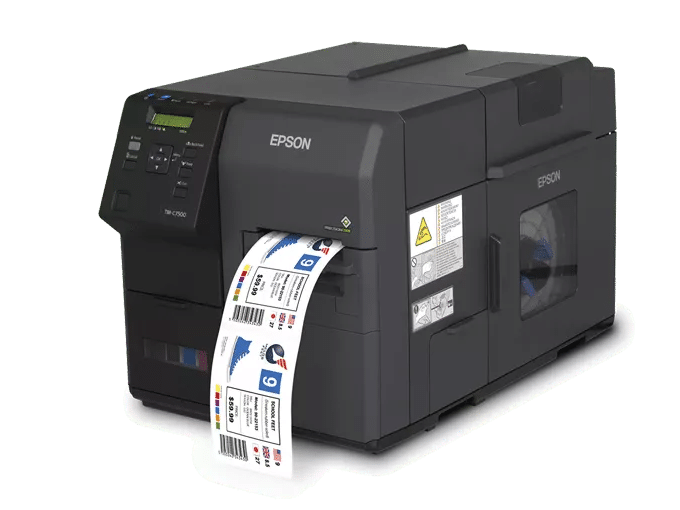
Inkjet printers use pigment or dye-based inks to operate. A great option for a small business with limited space that prints a lot of full-color, vivid graphics & images.

Unlike their Inkjet counterparts, Laser Printers use toner-based cartridges to print on labels. These printers provide enhanced design capabilities with the added benefit of printing in white.
Inkjet vs. Laser: How They Operate
The most obvious difference that you’ll notice between a laser printer vs. an inkjet printer is the way they produce images. Our inkjet printers apply ink directly on the label, and they are unable to print in white. On the other hand, a laser printer applies and melts toner powder, bonding it to the surface of the label, and you also have the ability to use white toner on a dark label (when using the Afinia LT5C).
Usage, Maintenance and Consumables
When deciding between inkjet and laser label printers, it’s important to remember that while they both produce professional, high-quality labels, they are fundamentally different in some key areas related to usage, regular maintenance, and the usage and cost of their consumables. Understanding this final topic will round out your understanding of each product and help you to make a fully informed decision.
- Inkjet vs. Laser usage – there are some notable differences in the regular usage of these printers. Inkjet label printers require more adjustments in regard to fine-tuning the placement of the design on the label. Although inkjet printers will come very close, you will likely need to make some small offset adjustments to ensure your design is centered perfectly on the label. This is primarily important for full bleed labels. Laser printers are more hands-off in this regard. The placement of your printed design will require less finessing than inkjet printers require.
- Maintenance Considerations – Both of our inkjet and laser printer products have their own unique maintenance requirements. Laser label printers work very similarly to an office laser printers. You will have to maintain a fuser, transfer belt, and feed system exactly as you would on any other laser printer. Inkjet printers will require you to maintain optimal humidity levels, operate the printer as frequently as possible and keep the printer from airborne contaminates (like a dirty shop floor or manufacturing environment).
- Consumables – The difference here is obvious, ink vs. toner. The important thing to remember is that toner costs (cost per label) can be a bit higher for laser printers, while ink may be a bit cheaper. This is usually dependent on the designs your printing but as a rule of thumb, toner costs will usually be slightly more expensive than ink. However, if you factor in the many design benefits of a laser printer, this small increase may be well worth it. For example, inkjet printers are not able to print in white. This feature alone makes laser printers a clear advantage for users that need to print more complex designs or print on media other than white.
While neither type of printer is truly plug-and-play, the operation of each printer is quite easy to learn. Chicago Color Label provides a free one hour training to all customers who purchase an Afinia or VIP printer from us so you’ll be assured to hit the ground running with your new printer and never be left to learn how to use it on your own.
Calculate the cost of your printer, media, & ink with our handy Cost of Ownership calculator!
Inkjet vs. Laser: Materials
Laser printers use a dry powder called toner to render images, while inkjet printers use ink. Toner and ink work best when used on specific media types, so when you’re deciding on purchasing laser labels vs. inkjet labels, you want to ensure that you have the proper printer and label media so that the text or image renders correctly.
Each printer type has some important, specific media requirements to keep in mind:
- Inkjet Label Considerations – Inkjet printers can print on most porous surfaces with generally good results. However, most inkjet labels tend to have smooth surfaces. This is the case for many gloss paper and gloss BOPP labels. In order for the ink from an inkjet printer to produce quality images and dry quickly, the media must be coated with an inkjet coating. Without this coating, the ink will pool and stay wet. It’s always important to use certified media to ensure the best image quality.
- Laser Labels Considerations – Our laser label printers work much differently from their inkjet counterparts. As a result, the media requirements for them are also different. Our Afinia LT5C has the ability to utilize many different media types and finishes, many of which are not possible on our inkjet printers. This flexibility allows us to print on most media types that will allow for proper fusing (adhesion).
However, these printers use heated LED lights to fuse the toner to the surface of the media. This is the main concern when deciding what kinds of materials can be used. It’s important to never use any material that can melt under the heat of the fuser. PET materials offer the highest heat resistance, so they are generally considered safe to use. Some BOPP materials however melt easily under relatively low heat settings. This can cause the media to melt and damage the internal parts of your printer.
It’s also important to keep in mind the kind of adhesive that is on the labels. Materials with a thicker adhesive may leak or ooze adhesive from the edges of the labels when the fuser heats it. This isn’t as much of a concern as the media melting but is still something to check by printing small quantities prior to printing larger runs.
The best way to ensure you select and use the correct media for your printer is to use our label selection wizard. By first selecting the printer you’re using, the wizard will only show you media types and finishes that are compatible with your printer. This will guarantee the media will produce great results without harming your printer.
Inkjet vs. Laser: The Quality of Images They Produce
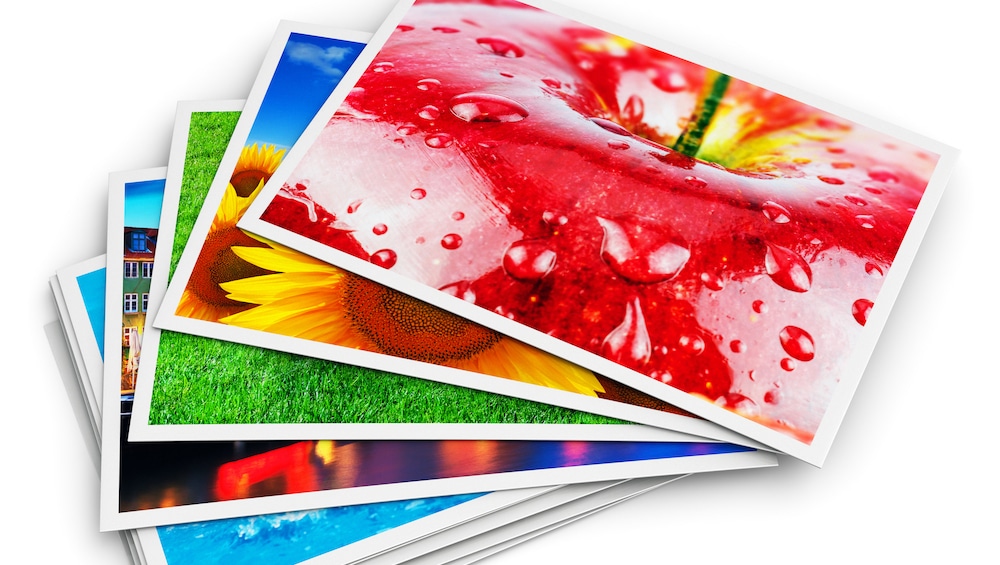
If you’re deciding between an inkjet vs. a laser printer for stickers, you’ll want to take into consideration the kind of quality that each printer produces. Now, both types of printers render high-quality images, but if your business requires bright stickers, you may want to consider an inkjet printer as they typically produce images with a broader color gamut, and they can render images in a slightly higher resolution.
On the other hand, laser printers have the advantage of printing more moisture-resistant labels, more variation in media types, and printing in white to generate some really cool effects. If your company needs stickers that require any of these things, laser printers can be an excellent choice.
Shop for a New Inkjet or Laser Printer with Chicago Color Label
Now that you compared a laser printer vs. an inkjet printer, which one will you choose? You can always reach out to us if you need any help with finding the perfect printer and printer accessories. There are also details on blank roll labels for sale. We’re eager to help you find the right printing equipment for your business!