

Memjet Scheduled Maintenance 2
Recommended Scheduled Maintenance for Memjet Printers
As Needed
- Clean Printhead – Perform a printhead cleaning when experiencing print quality issues or if the printhead hasn’t been used in more than 4 days. Please follow these steps for proper printhead cleaning steps.
Monthly (Remove and store printhead during these steps)
- Wipe down inside clamshell and all reachable areas using soft rag and water (alcohol will damage softer rubber parts)
- Vacuum inside clamshell and all reachable areas. After vacuuming, use compressed air to blow out remaining debris that is not reachable (be sure the printhead is removed and stored during this step)
- Clean input sensor (small black square where media enters in the back) – requires a cotton swab
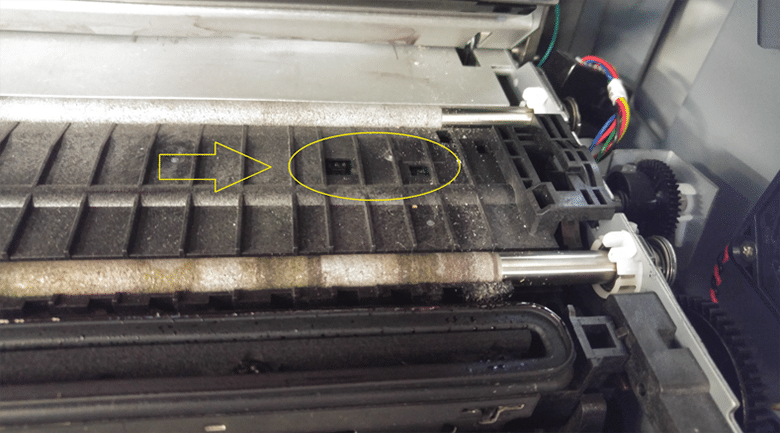
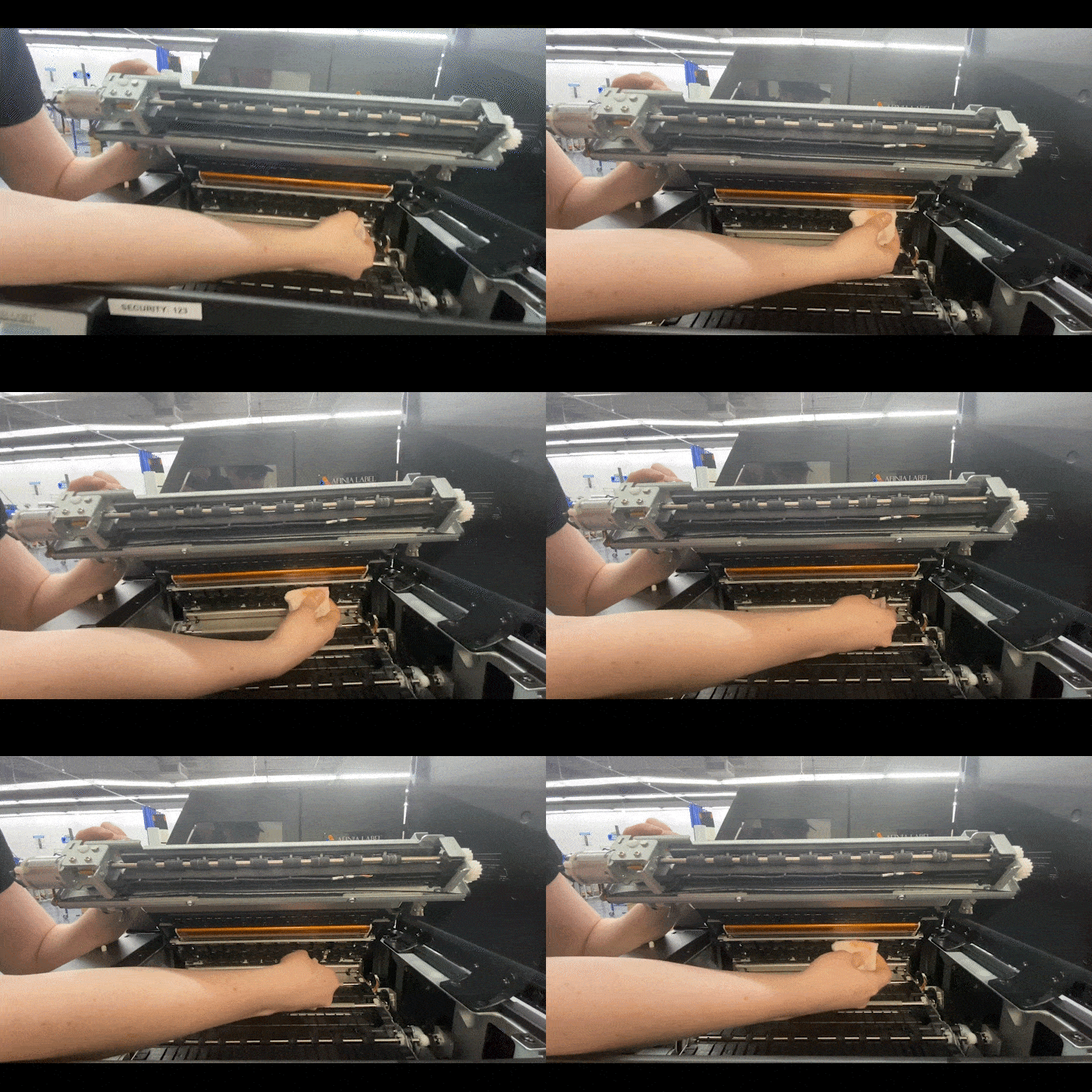
- Open clamshell and clean gap and black mark sensor (see picture)– requires a cotton swab
 |
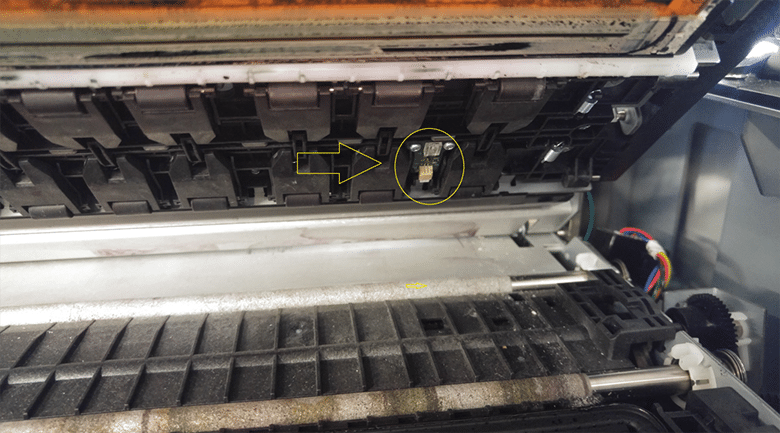 |
| Click to expand gap/black mark sensor location image | Click to transmissive sensor location image |
- Inspect pinch rollers and rubber feed rollers for adhesive buildup and clean as needed
Bi-Monthly (use deionized or distilled water for any cleaning unless otherwise noted)
- Inspect each pinch roller to ensure they spring back easily (push up to compress spring and then release), spin freely and do not have any adhesive buildup. Clean as needed.
- Inspect each feed roller for adhesive buildup and clean as needed

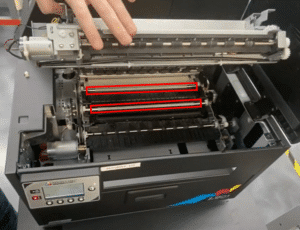
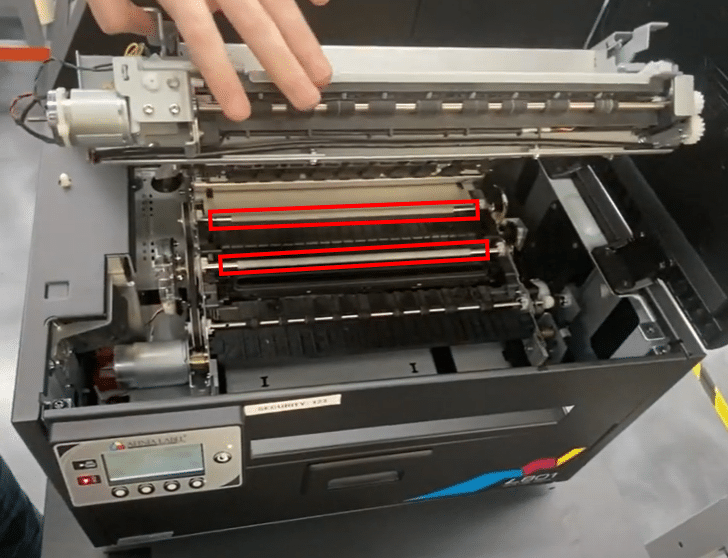
Click for video - Check grit roller for worn or missing areas of “grit”. The grit rollers are the two white bars on the bottom side of the clamshell as seen here:

Click to enlarge - Check waste ink pad. If the entire waste pad is “black” and there is a distinct pool of ink in the middle, you should replace it. In a pinch, The ink pad can be carefully cleaned in a shop sink, drained and reused.
Long Term Maintenance (Yearly+)
- Examine the service station closely. The service station houses the wiper roller motor, wiper roller, and the rubber gasket that caps the printhead. With years of usage, the service station can become very dirty from thousands of servicing cycles and usage for printing labels. Over time, the service station may become so laden with ink that it no longer drains effectively. The more ink that remains in the service station, the more that can transfer back to the printhead and other surfaces of the printer, including the labels themselves. Additionally, the rubber gasket may become brittle and fail to effectively protect the printhead from the air, causing the printhead to fail prematurely.
The service station is considered a consumable and will eventually need to be replaced. If the rubber gasket is still working effectively, you can try removing the service station and carefully cleaning it in a utility sink. Carefully remove any excess ink from the well and surrounding surfaces. Be sure to gently wipe the rubber gasket to clean any excess ink from it. Allow the service station to drip dry and reinstall it after it’s mostly dry.
During this process, the printhead should be stored in the orange cap and foil bag with a damp paper towel inserted in the bag. This will ensure the printhead doesn’t dry out while the service station is removed.
Memjet’s scheduled maintenance to ensure optimal performance and reliability. Regular updates and maintenance are crucial for keeping the systems running smoothly and avoiding potential issues.
Great insights on maintaining Memjet printers! Regular upkeep is indeed essential to ensure optimal performance and longevity of the equipment. Thanks for sharing these useful tips!